
Prerequisite
You can import a Complete website as well as a Single Template available within the theme and configure it according to your requirement.
If you want to do a full import, we recommend you have a clean installation or a staging site so that none of your existing data is lost. However, if you want to import a Single Template, you don’t need to reset your website.
You can reset your WordPress installation with a plugin like WP Reset
Once the site is clean, you can install and activate our theme and all the recommended plugins including the Demo Importer Plus plugin. You need to install Elementor Website Builder plugin for importing Elementor Templates.
How to import Complete Demo Site?
- Go to Admin Dashboard >The Conference Pro > Starter Sites.
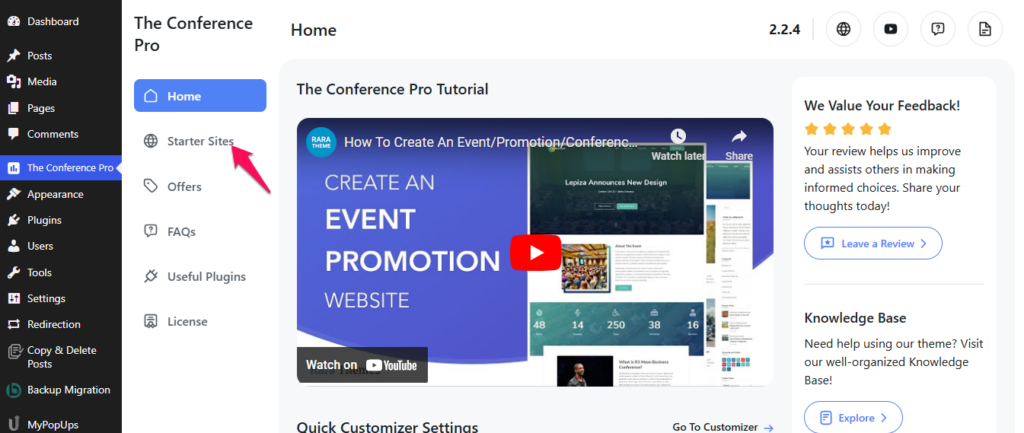
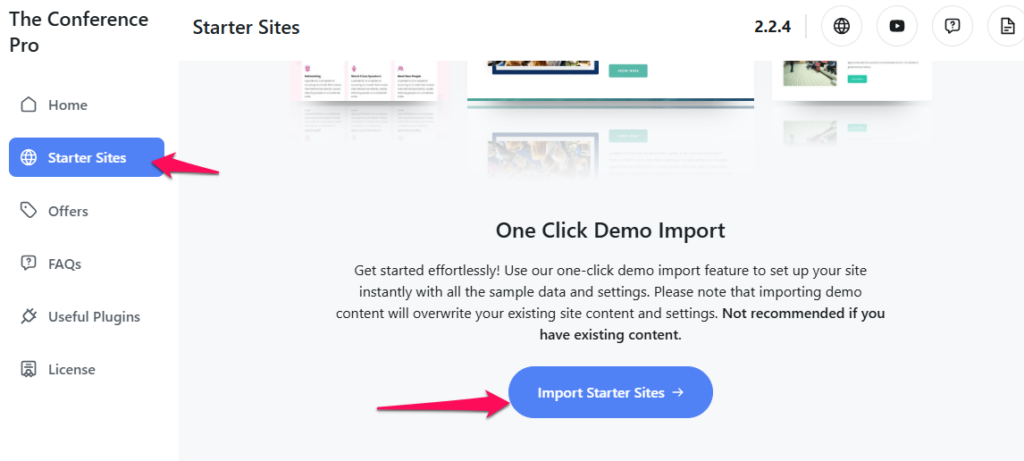
- Click on the Import Starter Sites button.
- Click on the theme template screenshot that you want to import.
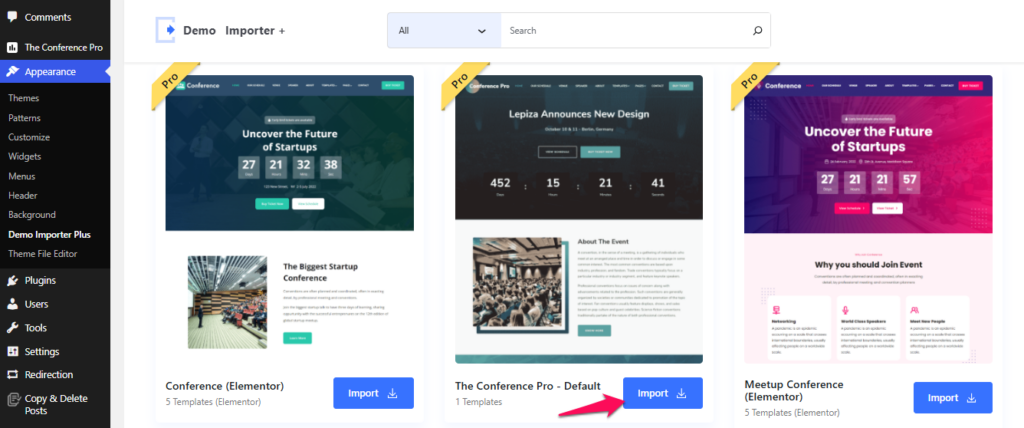
- Click on Import Complete Site button.
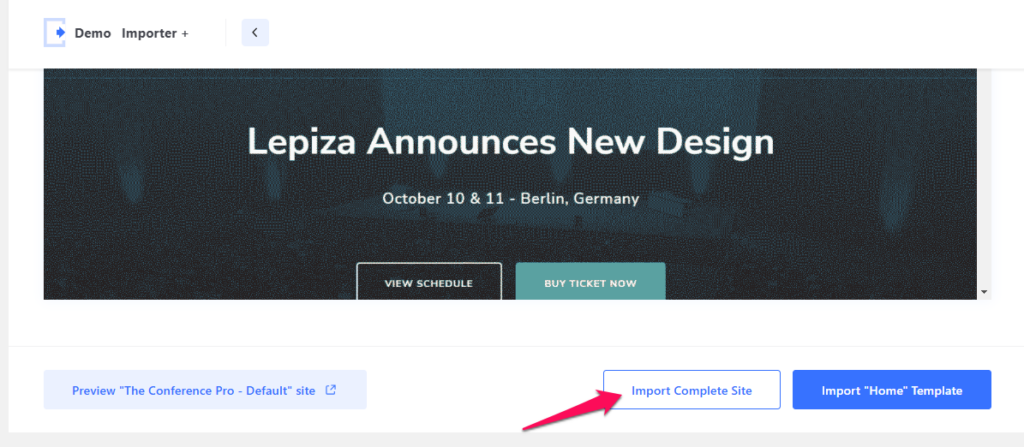
- Before importing the demo content, the Demo Importer will first verify that all necessary PHP requirements are met. It will also automatically install any required plugins to ensure a smooth and complete demo import process.
- Checkmark the options provided as per your requirement.
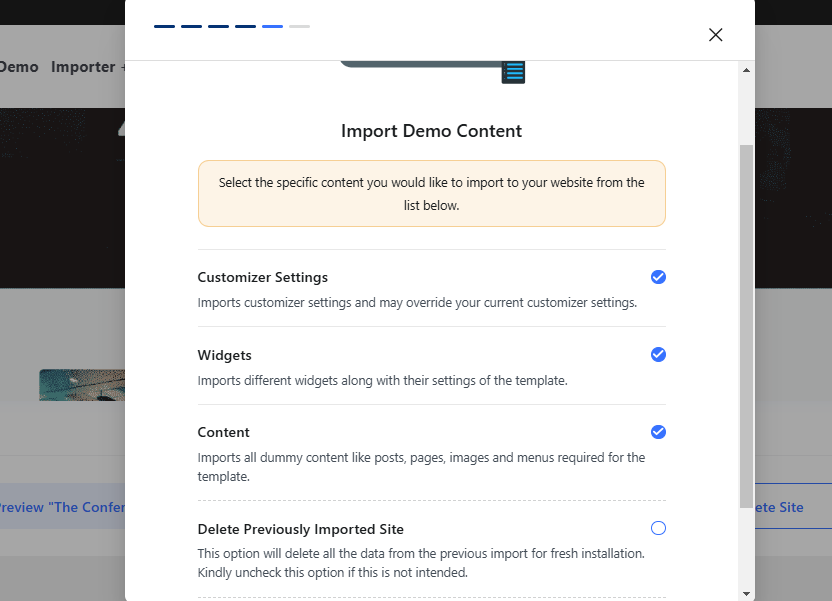
- Click on the Continue button.
How to import a Single Template?
- Go to Admin Dashboard > Appearance > Demo Importer Plus.
- Click on the theme template screenshot which you want to import.
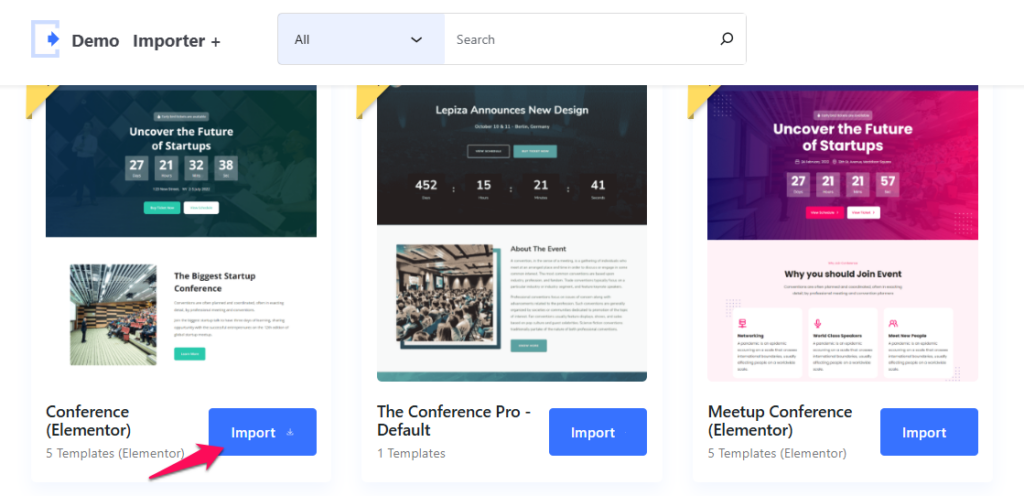
- Choose the single template you want to import.
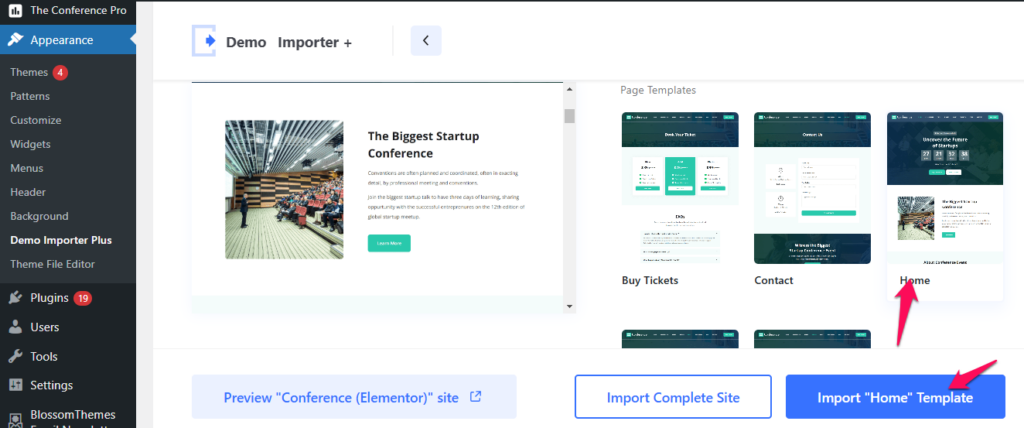
- Click on Import Template button.
Within a couple of seconds, the template will be imported. You can view or edit the page template via Admin Dashboard > Pages > All Pages.