Please follow the below steps to configure Contact Section
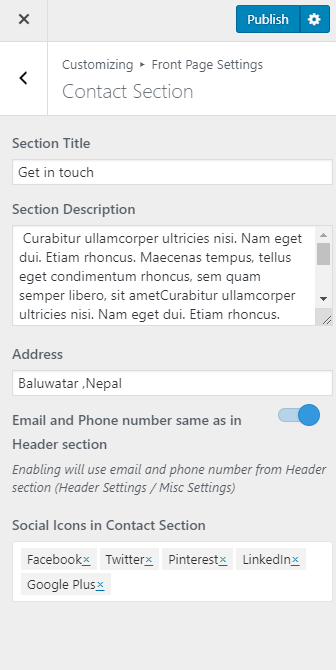
- Go to Appearance> Customize>Front Page Settings> Contact Section.
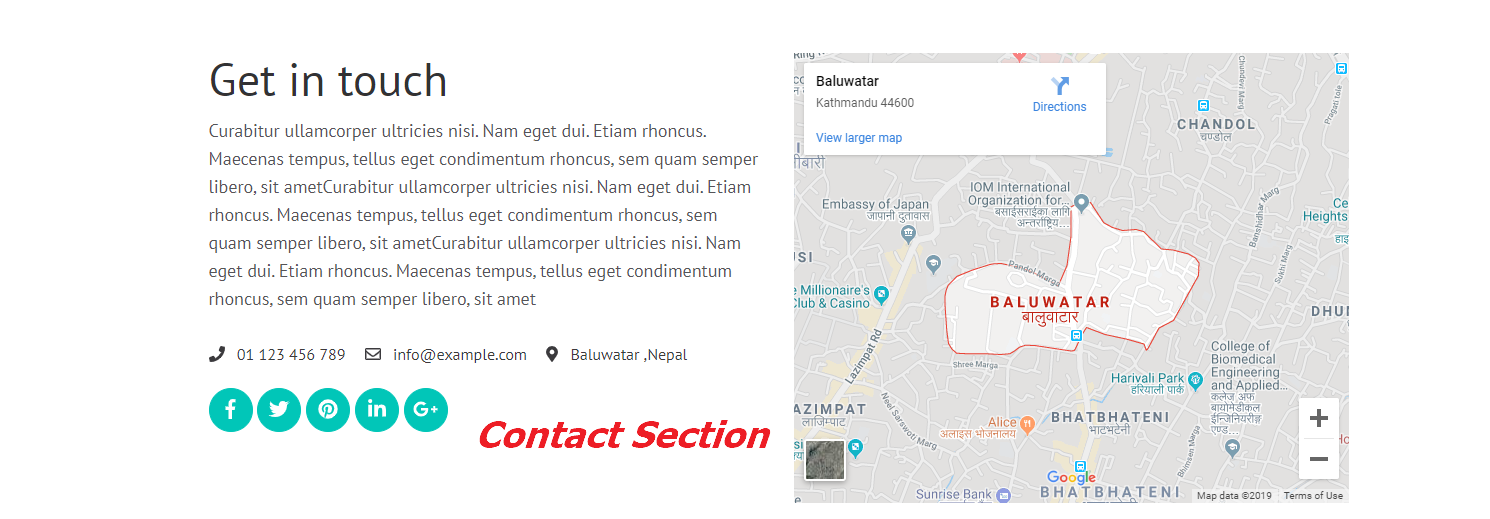
- Enter Section Title and Section Description.
- Enter your Address
- Enable the Email and Phone number same as in the Header section
- Select which social icons you want to display in this section
- Click on Publish