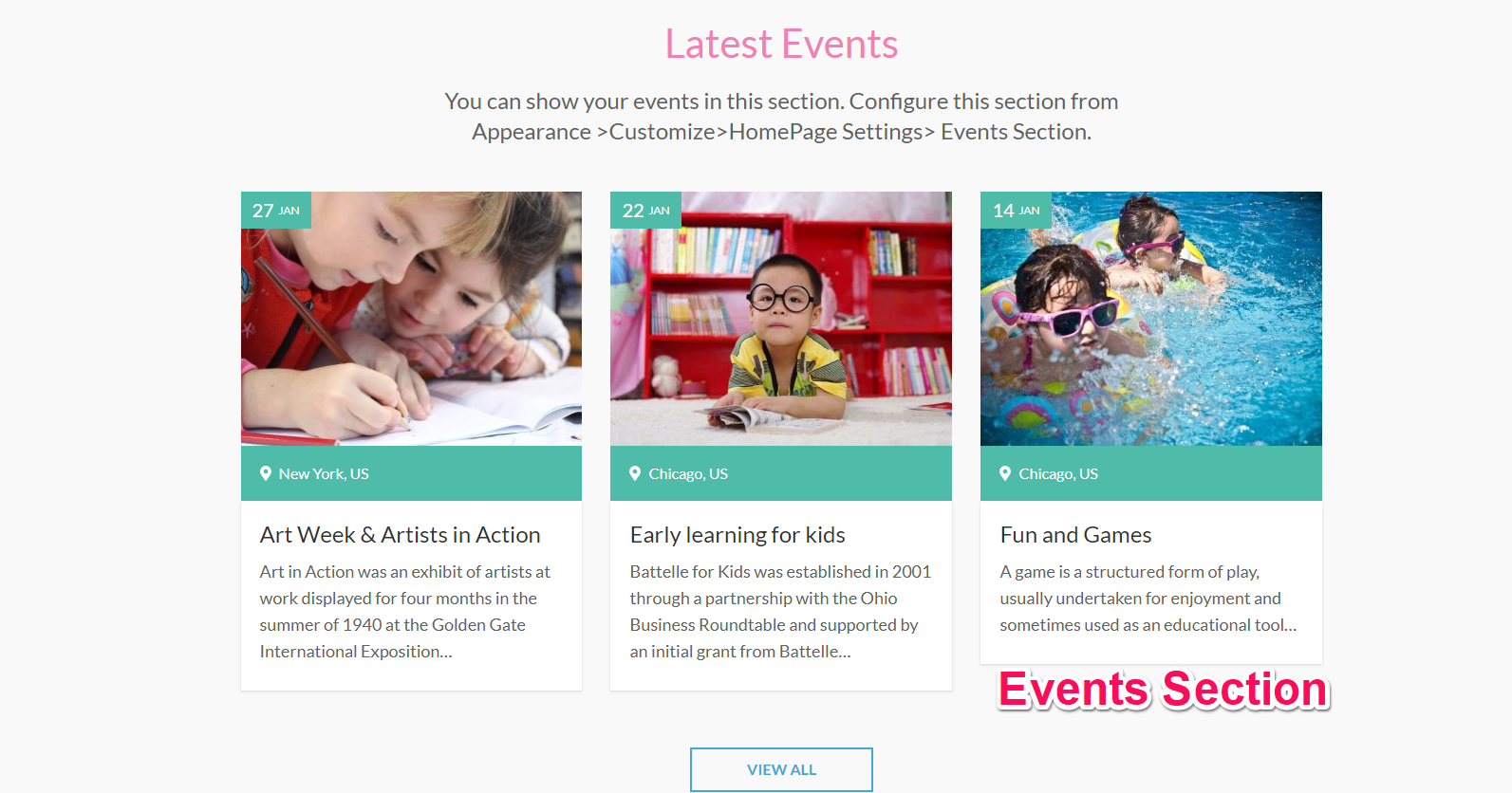
You can display your upcoming events using this settings. Please follow the below video tutorial or the following steps to configure Events Section
To show your events, you must first create/add events.
Create Events
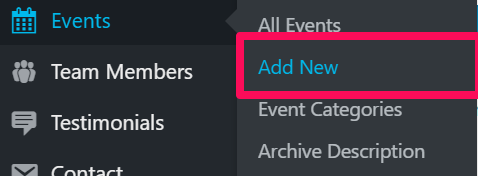
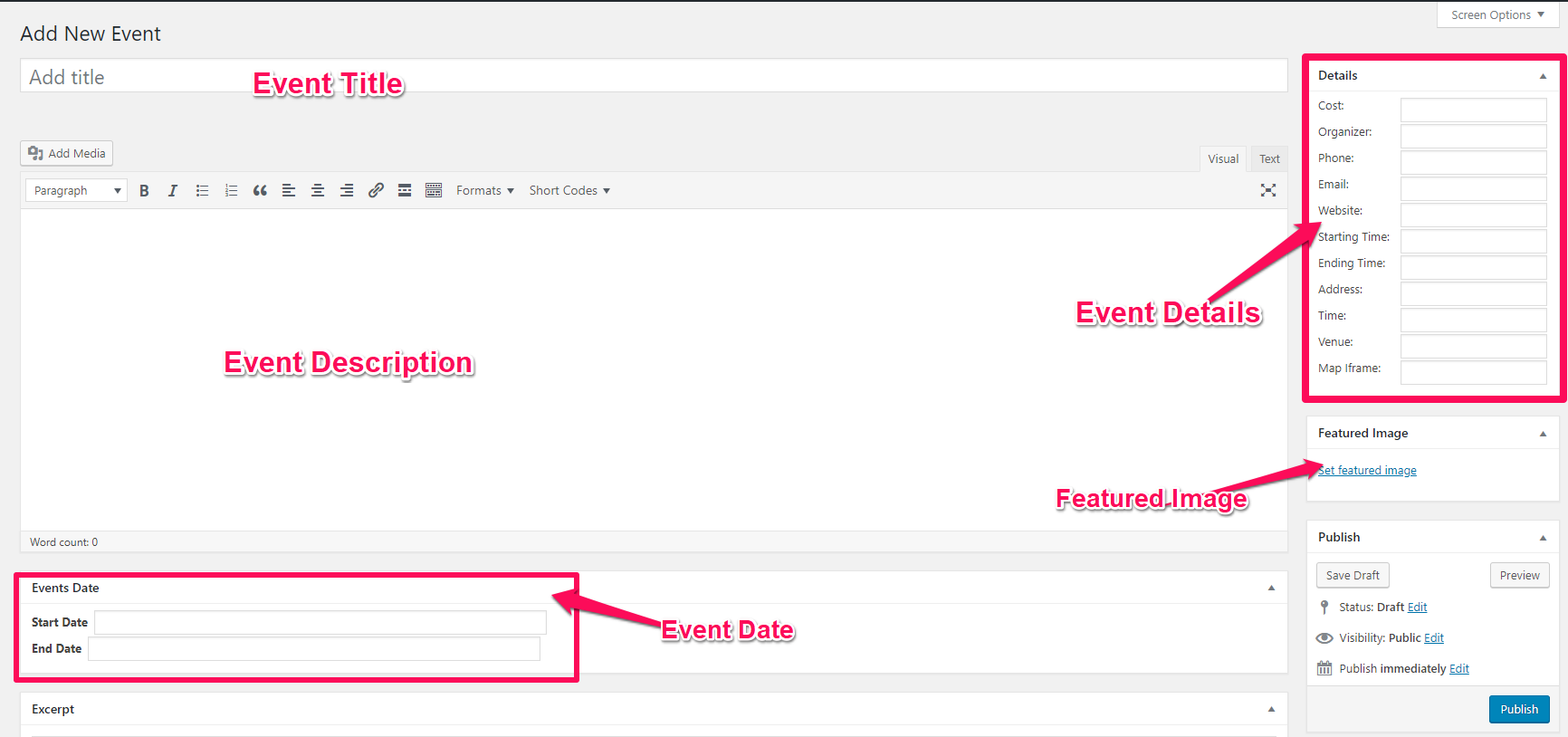
- Go to Dashboard > Events > Add New
- Enter your event Title, Description, Details, Date, and add a featured image.
- Click Publish when done.
Now, follow the below steps to configure Events Section
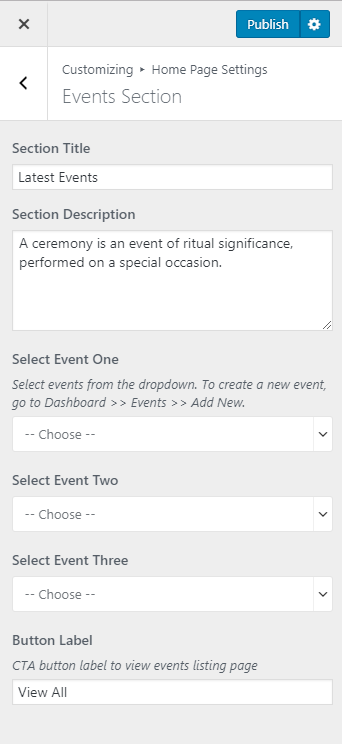
- Go to Appearance > Customize > Home Page Settings > Events Section
- Enter Section Title and Description
- Choose your event to display from the Select Event One, Two, and Three.
- Enter CTA Button Label
- Click Publish