
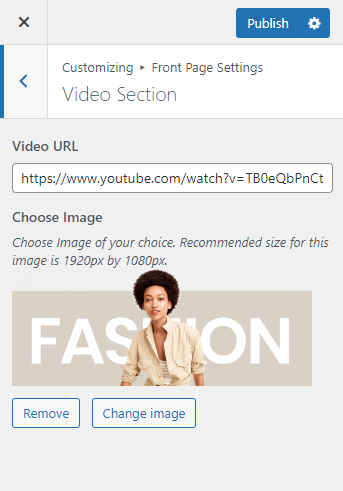
Please follow the below steps to configure the Video Section.
- Go to Appearance > Customize > Front Page Settings > Video Section.
- Enter the URL of Video.
- Choose background image for the section.
- Click Publish.

Please follow the below steps to configure the Video Section.