To configure SEO setting, please follow the below steps
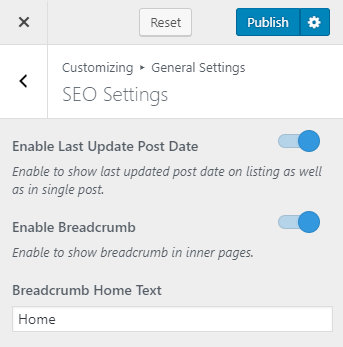
- Go to Appearance > Customize >General Settings>SEO Settings
- Enable Last Update Post Date to boost your SEO. Blue is enabled. When you enable this, Google can read the post updated date and index your latest content.
- Enable Breadcrumb to show breadcrumb in inner pages.
- Enter Breadcrumb Home Text
- Click Publish