You can display information about your skills in this section.
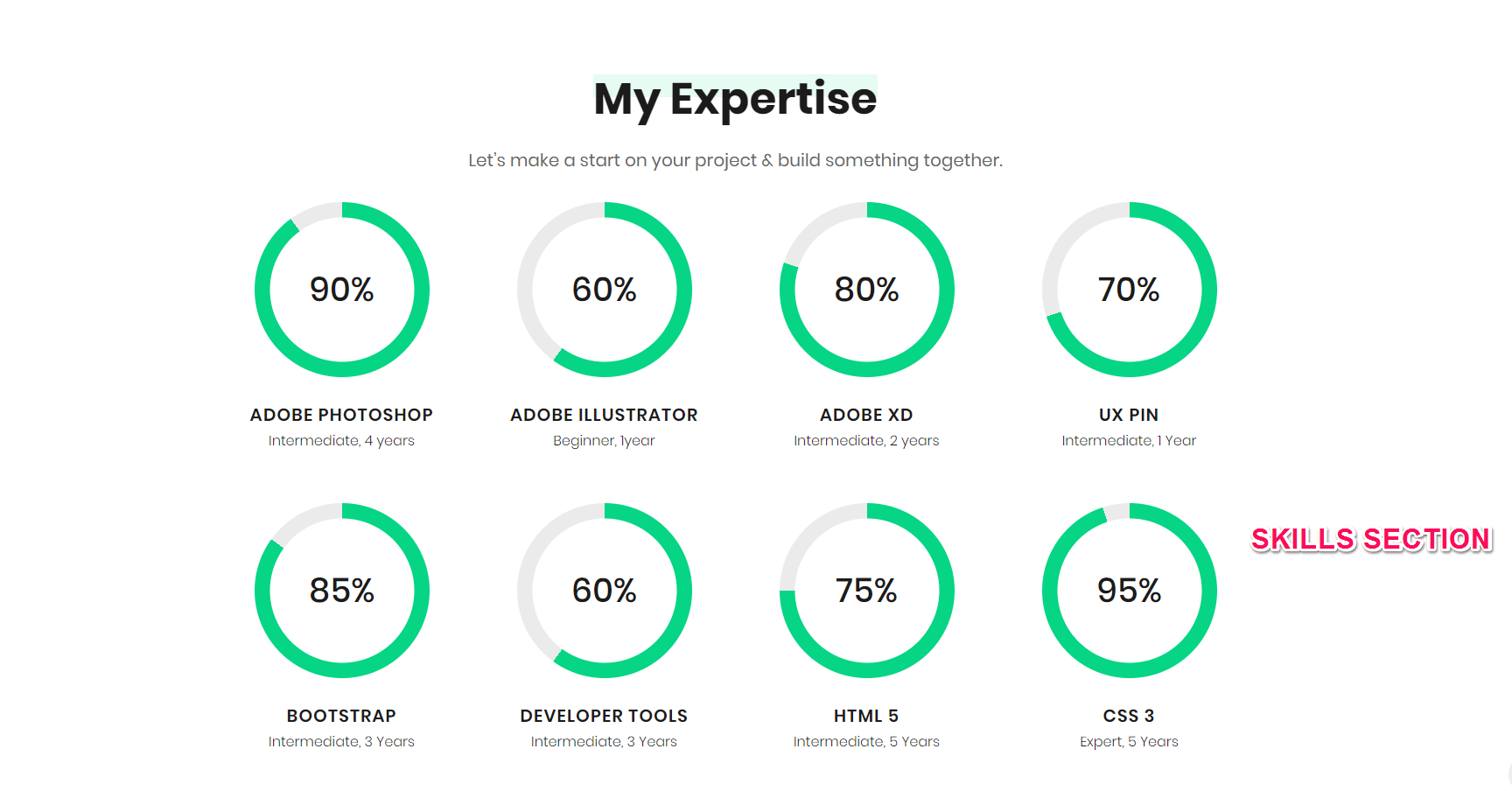
Please follow the below steps to configure Skills Section
- Go to Appearance > Customize > Front Page Settings > Skills Section
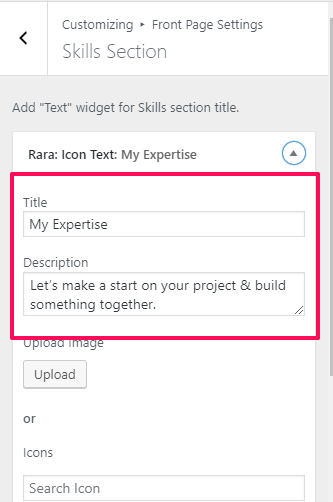
- Click on Add a Widget and add a Text Widget
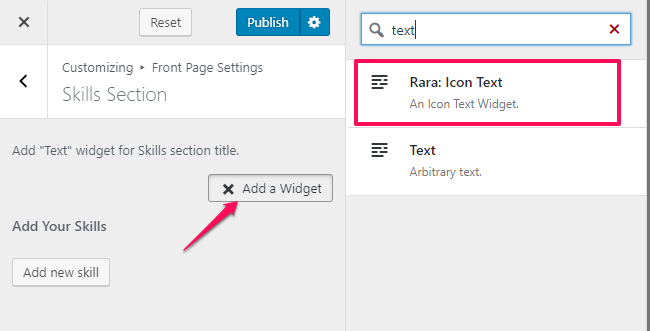
- Enter the Title and Description
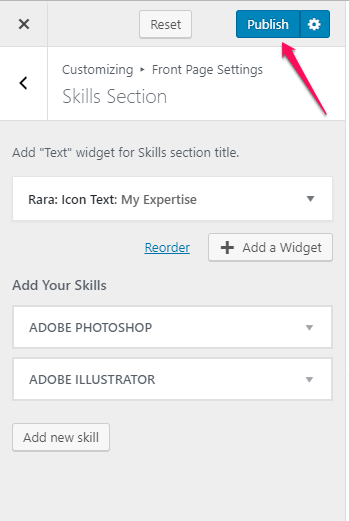
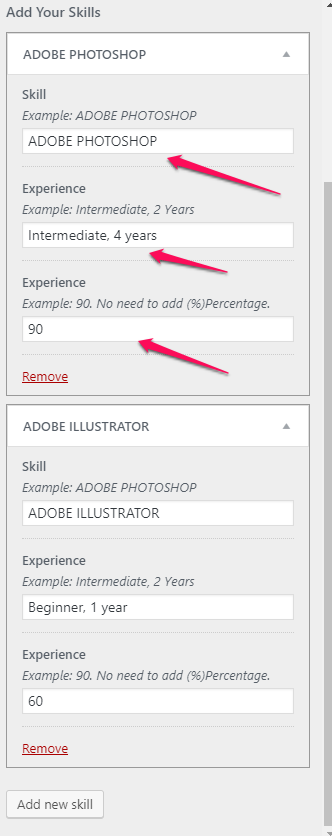
- Now, click on Add new skill.
- Enter Skill, Experience and Experience percentage
- When you are done adding all the skills, click on Publish.