
Please follow the below steps to configure the featured course section on the homepage of your website.
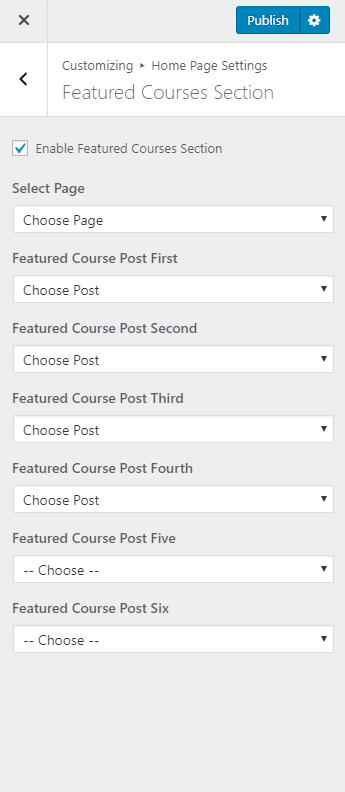
- Go to Appearance> Customize> Home Page Settings> Featured Courses Section
- Check Enable Featured Courses Section to show it on the Homepage
- Choose a page for the section.
- Choose Featured Course Post First, Featured Course Post Second, Featured Course Post Third and Featured Course Post Fourth.
- Click on Publish
Note: The selected Post must have a Featured Image to display under Featured Course Section.
Note:
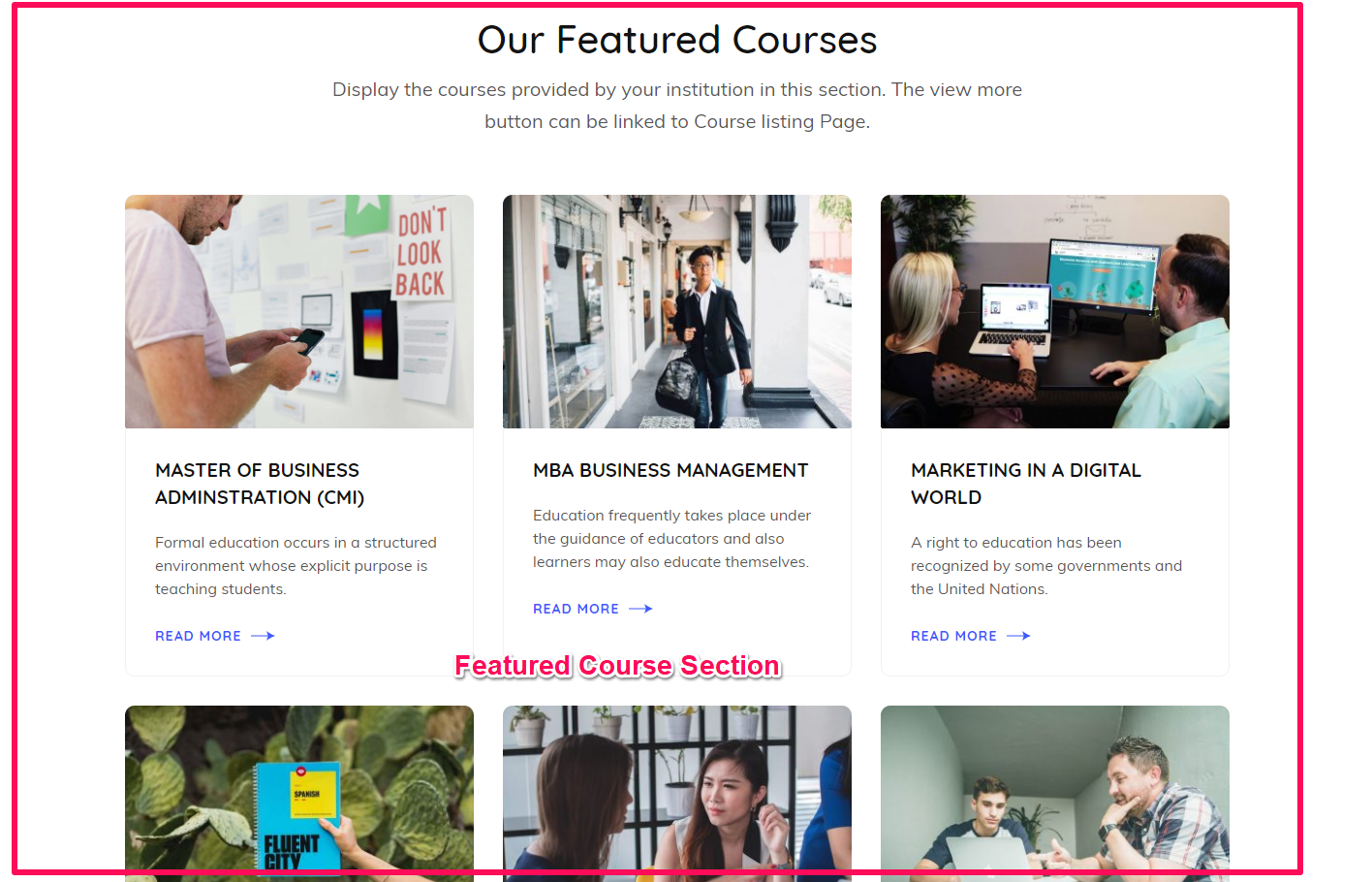
- The Title of the Page will display as the Title of the section.
- The content of the selected page will display as the description of the section.
- The selected Post Title will appear as the course title.
- The excerpt of the selected post will appear as the course description. If no excerpt is entered, the first few lines of the content will appear as the course description
- The featured Image of the Post will appear as Info Image/icon.