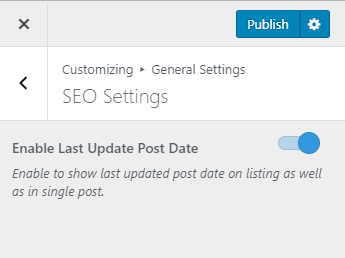

Please follow the below steps to configure SEO Settings
- Go to Appearance > Customize > General Settings > SEO Settings
- Enable Last Update Post Date to show last updated post date on listings as well as in single post. (Blue is enabled)
- Click on Publish