Please follow the below video of following steps to configure Middle Section
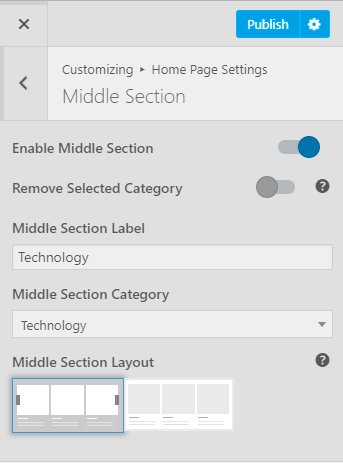
- Go to Appearance> Customize> Homepage Settings>Middle Section
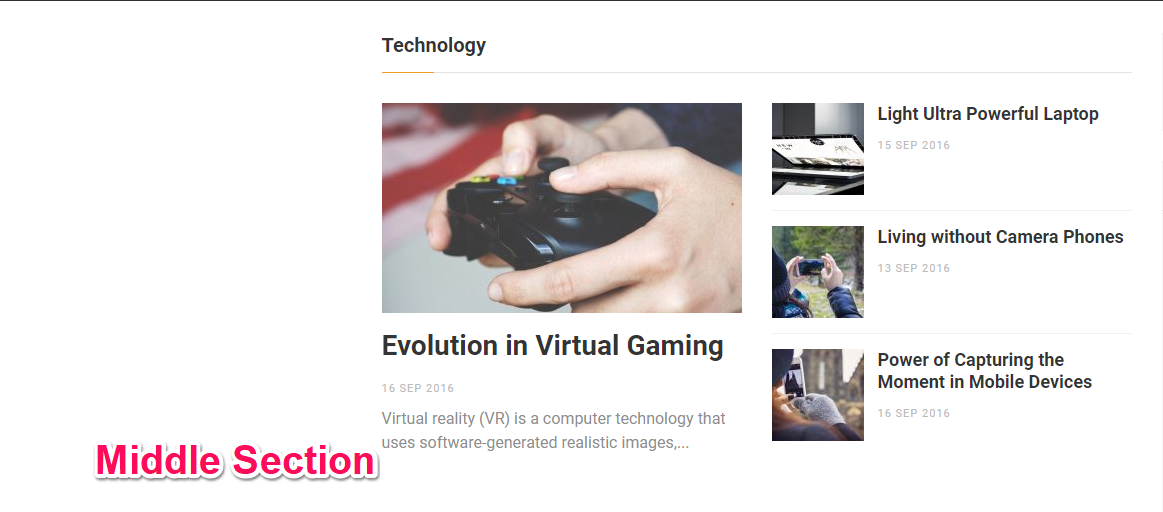
- Enable Middle Section to display featured section in the homepage.
- Enable/Disable Remove Selected Category
- Enter Middle section Label.
- Choose Category for the Middle section
- Choose the layout for the Middle section
- Click Publish.