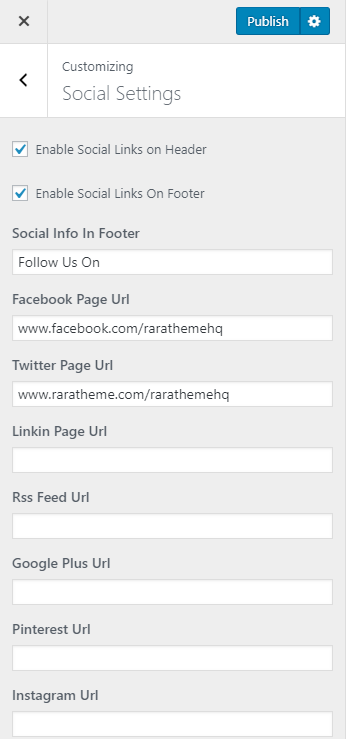

Please follow the below steps to configure Social Settings
- Go to Appearance>Customizer>Social Settings
- Check Enable Social Links on Header to show social media links on the header
- Check Enable Social Links on Footer to show social media links in the footer.
- Enter the links of your Social Media Pages.
- Click on Publish when you are done.