

Please follow the below steps to add excerpt in the post
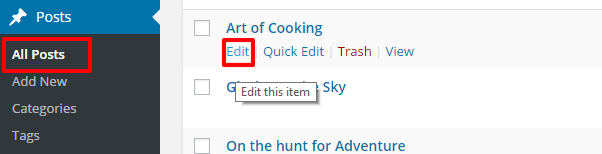
- Go to Post > All Posts from WordPress dashboard.
- Click Edit below the post name.
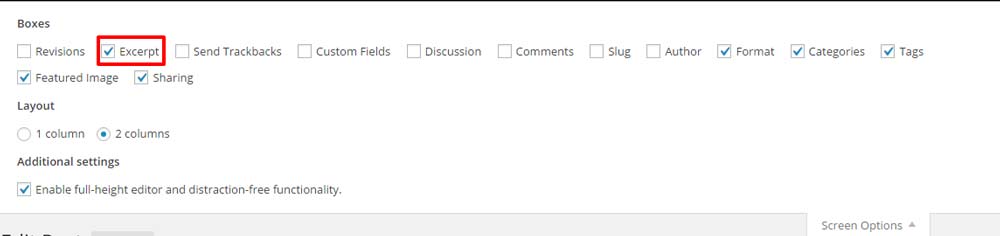
- Click on the Screen Option on the top left side of the screen.

- Check Excerpt.
- A content box for excerpt will appear below the content section. Enter the required details.

- Click Publish or Update